For whom
The ethos says why we create. This document says for whom.
Our focus is the human experience of technology.
Of primary importance are real people with different circumstances, experiences, abilities, cultures, needs and reasons for making things in a digital medium. We acknowledge we are complex, rich and deep beings: nobody fits neatly into a single category, and everybody has a unique experience of encountering the work we create together.
We use three interconnected ideas to help make sense of humanity's encounters with technology:
- archetypes help us think about the different roles and postures people may adopt towards technology;
- personas help us imagine those roles as particular people, with circumstances and needs we can care about;
- practitioners are the real people who use, adapt, question and create with our work.
Archetypes help us think. Personas help us imagine. Practitioners help us learn.
Alongside these three ideas are three journeys common to everyone who creates with our work: setting up, building and developing, and sharing and collaboration. We also pay close attention to the AI companion that may mediate any part of those journeys.
Practitioner, not user
A note on the word user. We prefer practitioner. The word user narrows attention to a person's relationship with a tool; practitioner enlarges it to their craft. A user's focus is the tool. A practitioner's focus is what they are creating.
Where someone is doing something specific, name it specifically: student, teacher, data scientist, backend developer, hobbyist. The accurate noun beats the generic one.
How we think about people
Archetypes
Archetypes are abstract definitions of roles or postures a practitioner may adopt towards technology. They are not exclusive or fixed categories. In reality, we all embody several archetypes, moving between them according to context and need.
We currently use six.
-
The learner - whose primary focus is skill and knowledge acquisition. This includes someone taking their first steps in code, as well as a seasoned professional encountering our projects for the first time. Learners are our future collaborators, colleagues and community, and our work should contribute to their growth and enrichment.
-
The educator - who helps, mentors and creates resources for learners. This might be in a classroom, a club, online, with friends or as a colleague. Educators make a difference to those around them, not simply by making things but by enlarging the lives of others. Our projects should provide resources they can call upon in that work.
-
The engineer - who builds valuable things with technology, often professionally. Engineers who already write code bring existing skills to our projects. Our work should enrich what is possible for them and make the journey towards mastery easier than they expect.
-
The informatician - for whom technology matters greatly, while their discipline is orthogonal to coding. This might be a data scientist, meteorologist or medical researcher who knows their own world better than any technologist does. Our projects should complement and amplify their expertise, rather than require them to become technologists first.
-
The administrator - an information worker for whom technology is a secondary, facilitating part of a job that is managerial, bureaucratic or vocational. This might be a COO who needs a status dashboard, a doctor refining records used by their hospital or a tradesperson organising their resources and schedule for freelance work. Our projects should help them build the missing software to help with their unique and fluid needs.
-
The hobbyist - enthusiastic about technology for its own sake. The hobbyist might be a maker, a geek or a regular open source contributor, exploring technology simply to see what happens. Play, experimentation and a willingness to goof around are especially welcome here - that is how most good things start, including our projects.
Personas
A persona is a fictional yet carefully constructed embodiment of an archetype, with a name, cultural context, background and specific needs.
Personas bridge the gap between abstract analysis with archetypes and the messy, specific reality of human needs. They help us engage with empathy and imagination rather than through small-minded stereotypes. They are also a useful foil to the incompetence and crushing banality of feature-focused work driven by "cool" technology and coding fashions. It is easier to care for Mandisa than for "the educator segment" or "something-or-other on the blockchain".
Personas help us to ask important questions. What does this person already know? What are they trying to make? What gets in their way? What circumstances shape their experience? What do they need from us?
Our personas are the people we imagine.
Practitioners
Practitioners are real people.
They are the ultimate source of truth, and we treat them with the utmost respect.
We use archetypes and personas to make our thinking more concrete, but we do not mistake either for reality. We validate our assumptions, refine our thinking and revise both archetypes and personas according to what practitioners demonstrate and tell us.
Because our projects are open source, our practitioners are our community, collaborators and colleagues. This cooperation happens constantly: through online channels, bug reports, contributions, questions, conversations and wider community engagement.
The people who use our work are not an audience we design for from a distance. They are participants in an ongoing relationship with it. We welcome them and invite them to contribute.
The journeys
Whatever their background, practitioners encounter three journeys.
Setting up
All journeys start with setting up: the transition from first contact to a working draft.
It involves finding the project, understanding what it is and is not, imagining potential opportunities, creating a space for future work and then taking the first step to reaching the important realisation that "I can do this!"
A beginning is a very delicate time, so a person's first experience should give them the enrichment and confidence needed to continue their journey and grow.
Building and developing
The journey of building and developing is the long middle - an often frustrating, difficult and unclear path.
It involves many different sorts of activity: writing, testing, debugging, looking things up, trying something, getting stuck, trying again, and growing a small thing into a real one. The destination is not simply something that works. It is the moment of knowing, "I see how this works!"
Clarity, not mystery. Guidance, not pitfalls. Simplicity, not complexity.
Sharing and collaboration
With the help of our projects, a practitioner publishes something, embeds it in another place, hands a starting point to someone else, teaches with it, contributes a fix or shares what they have learned.
This is the moment when practitioners become future ancestors: something they have imagined and created begins to flow beyond them and into the lives of others they may never meet.
The circle is complete.
What we aim for
When all three journeys go well, something important and ineffable happens: our work falls away, and the practitioner is simply absorbed in the act of creation.
That is the most fundamental outcome we aim for.
A working test
Combining the six archetypes across the three journeys makes a matrix of eighteen cells. It shows how every archetype should be able to find a path through every journey. Gaps in the matrix are gaps in our work and therefore gaps in our care.
When work is planned, we can ask which cells it serves. When a project is reviewed, we can walk the matrix and see who has been forgotten. When we receive feedback, we integrate it by refining our archetypes so the matrix truly reflects our practitioners.
The matrix is not a description of people. Rather, it is a guard against leaving anyone behind.
The AI companion
Increasingly, practitioners do not encounter our work directly.
Rather, they may encounter it through an AI companion: asking it what our project is, asking it to explain an error, asking it to write their first example, or using it as a collaborator while they turn an idea into something real.
The companion is not a seventh archetype. It has no circumstances, no needs and no stake in the work. But it is a presence in every cell of the matrix.
The AI companion could encounter our documentation before the practitioner does. It will interpret our examples, reference material and explanations on their behalf. Any ambiguity or omission can therefore travel through the companion and arrive with the practitioner as a confident but wrong answer.
The companion predicts without understanding, so it repeats without wondering. Our imprecision becomes its confident error, delivered fluently to someone with no way of knowing better. Precision, clarity and explaining idioms are actually care for the person at the far end of this AI-mediated filter.
It is why our reference should be conventional and complete, why examples must genuinely run, and why we publish assets crafted deliberately for machines alongside the pages authored for people.
The people we imagine
Our personas are fictitious, but their needs, problems and perspectives are real. Imagining them helps us because our personas reveal and place important obligations on us. We are honest where a need is not yet addressed. That is an acknowledgement of future work, rather than an admission of failure.
Each persona has four parts:
- an introduction that explains who they are;
- a description of how they create with our work;
- any circumstances that shape their engagement; and
- a list of what they need from us.
The portraits were made with a face-generating tool. These people do not actually exist!
Alejandro 🇲🇽 (Learner)
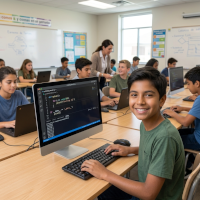
Alejandro is twelve years old, lives in Mexico, and is learning to code at his after-school computer club. He is also colour blind, so the colour palette for user interfaces sometimes poses a challenge for him.
His teacher, Miss Perez, has asked him to create a simple game in the choose-your-own-adventure style, and he is only too pleased: he has a head full of stories.
The game is simply a web page. The story and its choices are markup; the plot is Python responding to clicks. MicroPython means it starts quickly even on the club's ageing machines and on his family's shared tablet.
Alejandro does not speak English. Miss Perez adapts documentation and tutorials into Spanish for the club, and Alejandro learns from runnable examples more than from prose: press Run, change something, press Run again, and see what happens.
Alejandro needs:
- Documentation in Spanish, and a translation story that treats languages other than English as first class.
- Beginner-friendly examples that run live in the page and can be taken away as starting points for his own ideas.
- A simple, browser-based development environment that supports learning.
- Colour used carefully in the documentation and in every example: meaning never carried by colour alone, and themes with genuine colour-blind-aware contrast.
Agnieszka 🇵🇱 (Learner)

Agnieszka, 38, is a freelance technical translator in Kraków, working from German and English into Polish: manuals, data sheets, tender documents. She is very good at her job, and she knows exactly what she wants from our projects.
She is learning Python in the evenings, deliberately, to broaden what she can offer: a tool that checks a translated manual uses one term consistently, an app that renames and sorts a client's delivery of five hundred files, a small glossary website she can consult mid-sentence. None of this needs to become a product for others, but it helps her get her valuable time back.
She has tried to learn before. An online course collapsed under its own pace in week four, and a thick beginner's book taught her to print a poem she did not want to print. Runnable examples in a web page changed that: she adapts an example towards her own situation, runs it, and keeps whatever survives contact with her real work-based needs.
Agnieszka is an expert and a beginner at the same time. In her own field she holds professional standards most software never meets; in ours she is taking first steps, in scraps of her evenings between deadlines. A wasted hour is an hour taken from paid work or sleep.
Agnieszka needs:
- Examples that do real work with text and files - reading, checking, renaming, comparing - that she can adapt towards her own tasks, not toys that stay toys.
- Documentation that respects the expert beginner: plain about what she does not know yet, never condescending about what she does.
- Progress in evening-sized pieces: tasks with clear ends, so an hour spent always leaves something working, and trusted community-sourced mentorship for when she needs support.
- A visible path from practitioner to contributor: as a professional translator, she is exactly who our translation story hopes to meet.
Mandisa 🇿🇦 (Educator)
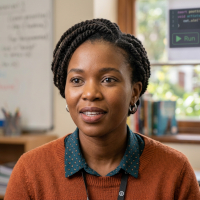
Mandisa, 35, teaches at a girls' school in Claremont, Cape Town. She is the subject specialist for computing, responsible for the programming curriculum for students aged eleven to sixteen.
She first met Python in the browser at a tutorial at PyCon Africa in Ghana, and has stayed in touch with the mentor who ran it. She knows the basics well, but is often only a little ahead of her most advanced sixteen-year-olds.
She writes her own learning resources, releases them under Creative Commons licences, and publishes them on the school's website.
Because runnable examples can be embedded in any web page, her pages teach the way ours do: the example sits in the lesson, and her students press Run.
Nothing is installed, no school sysadmin needs persuading, and her example apps become the starting points for her students' own projects on their own phones, tablets and laptops, be they at school, in the library or at home.
The browser has become her classroom.
Mandisa needs:
- MicroPython-compatible standard Python examples that perform well on the inexpensive phones her students actually own.
- Resources that are freely adaptable: clear licensing on our examples and no barriers to translation or remixing for the classroom.
- The embedding of live examples documented for authors like her, not only used by us.
- A classroom story: a beginner-friendly coding environment a teacher can oversee.
Emeka 🇳🇬 (Educator)

Emeka, 33, is a data analyst at a payments company in Lagos, Nigeria. His job title says nothing about teaching, yet he teaches every week: two juniors he mentors, a fortnightly lunch-and-learn he somehow became responsible for, and a steady stream of colleagues who appear at his desk with "you know Python, right?"
His classroom is the internal tool he built with our projects: a browser page his company's support team uses to trace a payment through the company's systems without needing to write SQL or parse log files. Because the whole thing is a web page, it can be opened and read as well as used. Emeka built it that way deliberately. When a junior asks how something works, Emeka opens the tool they already know and shows them the twenty lines that do it.
His mentees learn by collaboratively extending the tool. Each takes a copy that is theirs to break, adds a small feature, and brings it back for review. Often this is done in pair programming sessions with Emeka, who sits in as co-pilot. At the lunch-and-learn he sometimes removes a feature and rebuilds it live, badly first, then properly with the benefit of lessons learned. The tool is the lived curriculum: everything learned with it enriches both his colleagues and the company.
None of Emeka's teaching is planned, although his approach is deliberate and thoughtful. His students are peers who often arrive mid-task at the moment their need for learning becomes real. Such ad-hoc pedagogy means Emeka is constantly refining, revising and refactoring his tool.
Emeka needs:
- Apps whose workings stay open to inspection: readable in the browser they run in, not bundled away, because view source is his teaching method.
- Forkable starting points: a working copy a learner can own, break and bring back.
- Examples that embed where his colleagues already are - the internal wiki, a shared page, their company blog.
- Documentation that welcomes the reader who arrives mid-task needing that one thing explained, right now.
Ash 🇬🇧 (Engineer)
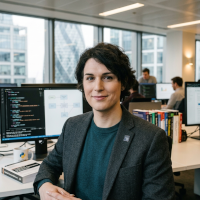
Ash, 29, is a back-end Python engineer at a hedge fund in the City of London, on a team that makes sure the right information and alerts reach the right colleagues as market conditions change through the day.
Most of their work is data science and the tooling around it; none of it, until now, has been front-end.
Ash quickly built a browser-based wizard app that signposts internal services to non-technical colleagues. They plan a follow-up for traders that reads a stream of alerts from an internally developed news API.
The work is commercially sensitive, so nothing leaves the building: Ash serves everything from the fund's own origin, pins every version, and freezes the environment so deployments are clearly defined, deterministic and repeatable.
Ash was up and running within an hour thanks to the at-a-glance reference, LLM-specific skill and prompt, and a skim of the relevant chapters in our official documentation. They shipped the wizard to production in two days.
They presented it at a lunchtime brown-bag session, have already suggested a couple of documentation fixes to us via our community channels, and intend to bring Future Ancestors projects to a London Python Code Dojo evening.
Ash needs:
- A reference that serves human and machine alike: a cheat-sheet page with everything at a glance, kept to hand all day, and material that gives their AI co-pilot accurate context about our projects.
- Guide chapters that respect existing Python fluency and get to the point: what is different here, not what Python is.
- Plain instructions for serving apps from their own origin, and for pinning and reproducing an environment exactly.
- Making calls over HTTP and websockets simple, intuitive and documented side by side.
Linh 🇻🇳 (Engineer)

Linh, 26, is the entire technical department of a five-person agritech startup in Ho Chi Minh City, Vietnam. The company sells water quality sensors to shrimp farmers in the Mekong Delta; Linh builds everything the sensors talk to and everything the farmers see. Backend, front-end, database, deployment: all her, done as efficiently as possible.
Her working week has a shape. On Monday she drives out to a partner farm and shows a working prototype to farmers at the edge of a pond: a Python-based app on a cheap Android phone, in hard sunlight, held in wet hands or dropped in the mud. By Tuesday she has actionable feedback from the farmers and evidence gathered through direct observations as the latest version is used in the real world. On Wednesday she reflects and refines the app with the cooperation of her co-founders. Thursday and Friday are a frenzy of coding, refactoring and stress testing. She deploys next week's demo on Friday afternoon.
The demo is the spec, and the spec changes weekly.
She cannot afford ceremony. A build pipeline is a luxury for companies with a second engineer; for Linh, an app that is just files - change one, refresh, show someone - is the difference between trying an idea and scheduling it. Most of her prototypes immediately die. The startup's survival depends on finding the one that does not, quickly and cheaply.
There is no senior engineer to ask and no code review but the pond. Her scarcest resource is her own time, and every choice is informed by whatever was learned this week.
Linh needs:
- From nothing to a working prototype in an afternoon: something to copy, gut and reshape, not a scaffold to configure.
- Iteration measured in minutes: edit a file, refresh a phone, no build step standing between the idea and the farmer.
- Prototypes cheap enough to throw away without grief - and most of them will be.
- A way for the surviving prototype to grow up - pinned versions, a tidier structure, real error handling - without being rewritten in a "proper stack".
Parminder 🇮🇳 (Informatician)
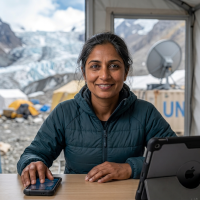
Parminder, 44, is a research scientist attached to the United Nations, measuring the long-term impact of environmental change on glaciers.
She is partially sighted, and works with a screen reader and magnification across all her devices: an Android phone, an iPad, and a Windows laptop for work.
She designs data-collection apps for scientific colleagues and for non-specialists in the field. The apps are used in places with patchy 3G at best, or satellite wifi back at base camp: data is gathered and stored offline, then synchronised when the network allows.
Out there, a failed request is not an edge case; it is the expected mode of behaviour.
While her users' devices are modern, the communication infrastructure often isn't. Everything they need must travel with them so they keep working as disconnected progressive web apps.
Parminder needs:
- Documentation that works first class with a screen reader, and that includes the live examples: accessible names, sensible headings, keyboard operation throughout.
- Clear guidance on storing data offline and reconciling it later.
- Patterns for network code that expects to fail and recover, treated as the normal case rather than the exception.
- The same app working across mobile, tablet and laptop without special effort.
Matteo 🇮🇹 (Informatician)

Matteo, 52, teaches musicology at a conservatoire in Bologna, Italy. His specialism is Renaissance lute music: the tablatures printed in Venice in the early 1500s, with sources scattered through the libraries of Europe. His focus is the source; his code is his magnifying glass.
He makes digital editions. On the left of the page, the facsimile: six lines, numbers for frets, rhythm signs above. On the right, his transcription into modern notation. Click a bar in either and a lute plays it, in a period tuning, so a phrase nobody has heard for five hundred years sounds in the reader's headphones. His students explore voice-leading by ear; lutenists three continents away write to him about fingerings.
Matteo can code, after a fashion. He writes Python scripts that parse his tablature encodings and count what a scholar wants counted. What he cannot do, and does not want to learn, is operate a toolchain: the one time he tried to build a colleague's editing tool from source, it wanted three package managers and he wanted to throw his laptop out the window. His Python-in-the-browser app asks him for nothing he does not already have.
His deadlines are measured in centuries. An edition is scholarship: it must be citable, checkable and still openable when its author is gone. Grants are small and come to an end; university servers get reorganised; the edition that needs a running backend is an edition already dying. Files, and only files, feel like something a university library could keep.
Matteo needs:
- Sound as a first-class citizen: playing a phrase from data in the page, documented as carefully as the more popular browser-based APIs.
- Editions that outlive him: plain files with few moving parts, still openable in decades, needing no server and no rebuild.
- A path for the scholar who codes but is not a software engineer: from a working analysis script to a published page without a toolchain in between.
- His own data formats made welcome: loading and parsing the files his encodings live in, alongside the markup and the images.
Janet 🇨🇦 (Administrator)

Janet, 52, is COO of an established aeronautical engineering company based in Vancouver, with several thousand employees across Canada, the US, UK, France and Italy.
Much of her work is learning key facts and communicating them and her decisions in a timely way, and her engineering background left her with a working grasp of Python.
She builds live browser dashboards for her fellow executives and her reports: pages that fetch financial, logistical, manufacturing and sales data, display it clearly, and keep it fresh over a websocket.
She particularly likes the deployment story, because there isn't one: an app is files, updating it is replacing them, and everyone sees the latest version on the next refresh, on whatever device they happen to be holding.
Janet needs:
- Worked examples of live-data pages: fetch something, display it, keep it current.
- Display patterns for the common shapes of data: tables, figures, status indicators, things that change.
- Making calls over HTTP and websockets simple and intuitive.
- The deployment story stated plainly and early: an app is files, and hosting it is putting them somewhere.
Stefan 🇩🇪 (Administrator)
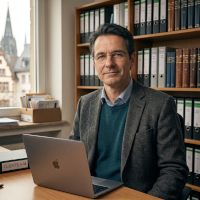
Stefan, 44, is an accountant at a three-partner tax practice in Cologne, Germany. He is not a boss and does not want to be: he is the person clients trust with the shoebox full of receipts. Every spring the shoebox arrives as an avalanche of email - bank exports in three different CSV dialects, invoices typed into spreadsheets by hand, columns that change meaning halfway down - and Stefan turns this mess into clean figures the practice's software needs before the filing deadline.
He used to do this with spreadsheet macros, and for years they almost worked: brittle, unreadable and opaque to everyone but Stefan. They have slowly become web pages instead. Drop a client's file onto the page and it checks what a macro never could: dates that cannot be dates, amounts that break the running balance, duplicates across files. Problems come back in red, corrections are suggested, and a clean file comes out the other side, ready for the practice software.
One property of these pages matters above all others. Client data is protected by professional secrecy, and a tool that sends figures to someone else's server - however convenient - is a tool Stefan cannot use. His pages do everything in the browser on the machine in front of him. Nothing is uploaded, and he can open the code for an audit to prove this.
The practice has no IT department; there is only Stefan, between client files, coding in the quiet weeks. Whatever he builds must be boring by filing season: no updates, no surprises, the same page doing the same thing to the last decimal place.
Stefan needs:
- Files in, files out: reading the CSVs and spreadsheets clients actually send, dropped onto a page, and writing clean ones back.
- The privacy story stated plainly: what stays in the browser and what leaves, said clearly enough to show a partner bound by professional client confidentiality standards.
- Worked examples in the shape of his work: check a file, flag the problems, suggest corrections, export the result.
- Stability through the season: pinned versions and no moving parts, so the page that was right in March is identical in May.
Hasan 🇹🇷 (Hobbyist)

Hasan, 67, owns a restaurant in Selçuk, Turkey, a few miles from the ruins of Ephesus.
He is famous among his friends for embracing new technology: he has run his stock and accounts on spreadsheets since Windows 3.1, and recently adopted a delivery app that doubled as the inspiration for his next project.
That project is a menu app for the tourist trade, in Turkish, English, Arabic, Hebrew, French, German, Italian and Spanish.
He began learning Python during the pandemic. His daughter-in-law, a programmer in Istanbul, pointed him this way, and he is working through tutorials in his good-but-hard-won English while sketching menu cards.
His HTML is rusty but serviceable, and he is pleased it counts: he hand-crafts the cards as markup, and the Python brings them to life on every customer's phone.
Hasan needs:
- Right-to-left languages handled with care: examples and patterns that demonstrate Arabic and Hebrew working, not a footnote saying they should.
- Respect for hand-written markup: our projects start from HTML, and the documentation should honour readers who arrive with HTML and only a little Python.
- Tutorials with patience: written for the determined amateur, not the professional in a hurry.
- MicroPython small and quick enough for the devices his customers actually use.
Nari 🇰🇷 (Hobbyist)

Nari, 19, is an art student in Seoul. Her sketchbook is full of light: she makes installations from paper, sensors and code, and shows them wherever an alley, a stairwell or a friendly market stallholder will let her.
Her current piece hangs over a night-market alley near her university: three dozen lanterns she folded herself from hanji paper, each with a microcontroller inside running MicroPython. The lanterns listen to the street and breathe light in slow patterns that follow its sounds - sizzling oil, laughter, the last bus. A QR code on the wall lets any passer-by open a page on their phone and conduct the alley for a minute: warmer, dimmer, faster, still. Her favourite moment so far was the enchanted hotteok seller, sixty years old, waving her phone like a magic wand at her own stall. This inspired Nari to quickly integrate accelerometer readings into her app, so the lights started reacting to movement.
Nari is not a computer scientist and does not intend to become one. Code is a material, like paper and light, and she judges it the way she judges materials: by what it lets her make, how she can use it to express herself and how it feels to work with. What won her over is that the lantern and the phone speak the same language - Python in the chip, Python in the page - so one small vocabulary serves the whole piece.
Everything runs from a pocket wifi router and a Raspberry Pi in a plastic sandwich box: an alley has no ethernet, and her installation's wifi is just a QR code to be noticed by the inquisitive. Her audience brings whatever phone is in their pocket, and nobody installs anything for art. Her budget is a student's: the cheapest boards, borrowed battery packs, and lanterns that must survive three weeks outdoors unattended.
Nari needs:
- The page and the microcontroller treated as one world: talking to her lanterns from the browser, documented as a path any artist can follow.
- Everything local: pieces that run entirely from a pocket router, with nothing fetched from the wider internet, because the alley has no connectivity.
- Zero install for strangers: a QR code and whatever phone a passer-by holds is the whole distribution story.
- Documentation that respects someone who thinks in materials and outcomes: what this makes possible first, how it works second.
Where this comes from
This way of thinking began in 2023, in design work for the Invent framework. It draws on long-term experience of UX research: at The Guardian, with its in-house UX lab, and at Marks and Spencer, where joined-up personas connect teams from engineering to marketing.
It reflects a core belief: software is made well when practitioners, engineers, designers and product thinkers collaborate and coordinate, not when features are implemented in isolation, driven by guesswork and fashion.
Real people - our practitioners - are at the heart of all we do.
This vocabulary and these concepts exist to ensure we keep them there.